Buying a pre-owned or refurbished smartphone has become one of the smartest ways to get flagship hardware at a fraction of the cost in India. Whether you are browsing platforms like OLX and Cashify, or walking into local gadget markets, you can easily save 40% to 60% compared to buying brand-new retail units.
However, the second-hand smartphone market is fraught with hidden risks. Counterfeit OLED displays, cheap third-party batteries that trigger sudden shutdowns, water-damaged motherboards with cleaned corrosion, and blacklisted IMEIs are rampant. A device may look immaculate on the outside ("scratchless body, mint condition"), yet harbor fatal internal defects that reveal themselves within days of purchase.
To protect your money, you must never rely on cosmetic appearance alone. Here is the definitive 7-step hardware inspection checklist every buyer should follow before handing over cash or completing a UPI transfer.
1. Inspect Physical Seams, Frame Alignment & Water Indicators
Before even unlocking the screen, spend two minutes examining the physical chassis under bright white light.
- Check Display Seams for Glue Residue: Factory-sealed smartphones use precision laser-cut adhesive gaskets. If a local repair shop replaced the screen, you will often spot microscopic beads of black or transparent B-7000 glue along the bezel edges.
- Inspect Frame Curvature (The Bend Test): Place the phone face-down and face-up on a completely flat glass or marble surface. Gently tap each corner. If the phone wobbles significantly, the internal aluminum chassis has suffered drop impact or back-pocket bending stress.
- Check Camera Lens Internals: Shine a flashlight directly into the rear camera lenses. If you spot microscopic dust particles or smudges inside the protective sapphire glass, the phone has been opened in an uncertified, dusty repair environment.
- Liquid Contact Indicator (LCI): Eject the SIM card tray and shine a light into the slot. Almost all modern Android and Apple devices have an LCI strip inside. A white or silver strip indicates no water damage; a pink or bright red strip means the phone has suffered liquid intrusion, which causes slow corrosion over time.
2. Display & Touch Digitizer Authenticity Test
The display is the single most expensive component of any modern smartphone, accounting for 30% to 50% of its repair cost. Unscrupulous sellers routinely replace broken original OLED screens with cheap, low-grade TFT/LCD panels that cost under ₹1,500.
How to Spot a Duplicate Display:
- The Pure Black Test: Display a full-screen, high-resolution pure black image in a dimly lit room. On an authentic AMOLED/OLED panel, the pixels turn off completely, blending seamlessly with the dark bezels. On a cheap LCD replacement, the screen will emit a noticeable greyish backlight glow.
- Touch Grid & Dead Zones: A damaged digitizer can register touches in the center while failing along the edges. Open a drawing app or an on-device diagnostic tool like Jemixo Kasauti and draw uninterrupted lines across all four borders and diagonal corners. If the line breaks or jumps, the digitizer has dead touch zones.
- Multi-Touch Verification: Place all five fingers simultaneously on the screen to confirm that the display controller tracks multiple touch points without phantom gestures or ghost touches.
3. Battery Health & Power Controller Verification
A degraded battery is not merely an inconvenience—it can cause thermal throttling, sudden app crashes, and dangerous swelling that cracks the back glass.
[!WARNING] Many third-party Android ROMs and unauthorized repair shops use software flashing tools to reset the reported battery health counter to 100% even when the physical lithium-ion cell is exhausted.
To verify actual battery condition on the spot:
- The 3-Minute Stress Test: Set screen brightness to 100%, turn on the flashlight, and start recording a 4K 60fps video for 3 continuous minutes. A healthy battery will drop by 1% to 2% at most. If the battery level drops by 5% to 10% or the phone feels intensely hot around the processor, the battery or power-management IC (PMIC) is severely degraded.
- Port Wobble & Fast-Charging Handshake: Plug the phone into a fast charger. Check whether the fast-charging protocol (SuperVOOC, USB-PD, Dart, TurboCharge) triggers immediately without disconnecting when gently wiggling the Type-C or Lightning cable. A loose port often requires an entire charging sub-board replacement.
4. The Silent Sensor Failures (Most Common Hidden Defects)
When buying a second-hand phone, 95% of buyers check the camera and Wi-Fi, but completely overlook the internal sensor array. A malfunctioning sensor can ruin your daily user experience:
- Proximity Sensor: Make a dummy phone call or use an automated test. Hold your hand over the top earpiece. The screen must instantly turn off. If it doesn't, your cheek will constantly press the "Mute" or "Hold" buttons during calls.
- Accelerometer & Gyroscope: Open Google Maps or a compass app. Rotate the phone through all three axes. The sensor must register tilt and orientation smoothly without jumping or getting stuck.
- Ambient Light Sensor: Move your hand over the front camera notch in bright sunlight to ensure auto-brightness dims and brightens dynamically.
5. Audio, Dual Microphones & Earpiece Frequency
Modern smartphones feature at least two or three microphones: a primary mic at the bottom for calls, a secondary mic on top for noise cancellation, and sometimes a third mic near the rear camera for video audio recording.
- Bottom vs. Top Microphone Test: Record a standard voice memo while speaking into the bottom port, then record a video using the rear camera while speaking softly from behind the phone. Listen back to confirm stereo clarity without background hissing or muffled sound.
- Earpiece Clarity at 100% Volume: Play audio through the top earpiece speaker. Listen closely for buzzing, crackling, or distortion caused by metal filings stuck in the magnetic driver mesh.
- Haptic Vibration Motor: Set the phone to vibrate and trigger system haptics. A sharp, crisp click indicates a healthy linear resonant motor. A hollow, rattling buzzing noise indicates a detached or worn-out eccentric rotating mass (ERM) motor.
6. Cellular, Dual-SIM & IMEI Blacklist Verification
Never purchase a smartphone without physically inserting your own active SIM card.
- *Dial #06# on the Dialer: Compare the displayed IMEI 1 and IMEI 2 numbers against the physical SIM tray engraving and the original purchase invoice. If the numbers do not match, the motherboard or housing has been swapped.
- Government Sanchar Saathi Portal Check: Visit the Government of India's CEIR Portal (Sanchar Saathi) and verify the IMEI. Ensure the device is not blacklisted, reported stolen, or flagged by law enforcement.
- Check Both SIM Slots: Insert your SIM card into SIM Slot 1, make a test call, and load a web page over 5G/4G data. Repeat the test for SIM Slot 2. It is common for second-hand phones to have one burned-out or bent SIM pin while the other functions normally.
7. The Ultimate Shortcut: Run Jemixo Kasauti for a 2-Minute Full Audit
Performing all these manual tests in front of an impatient seller at a tea stall or mobile shop can take over 30 minutes, and human observation still misses micro-voltage variations, dead sensor axes, and sub-pixel tint anomalies.
This is why we built Jemixo Kasauti—an enterprise-grade, 100% offline smartphone diagnostic and health testing app engineered specifically for Indian smartphone buyers and sellers.
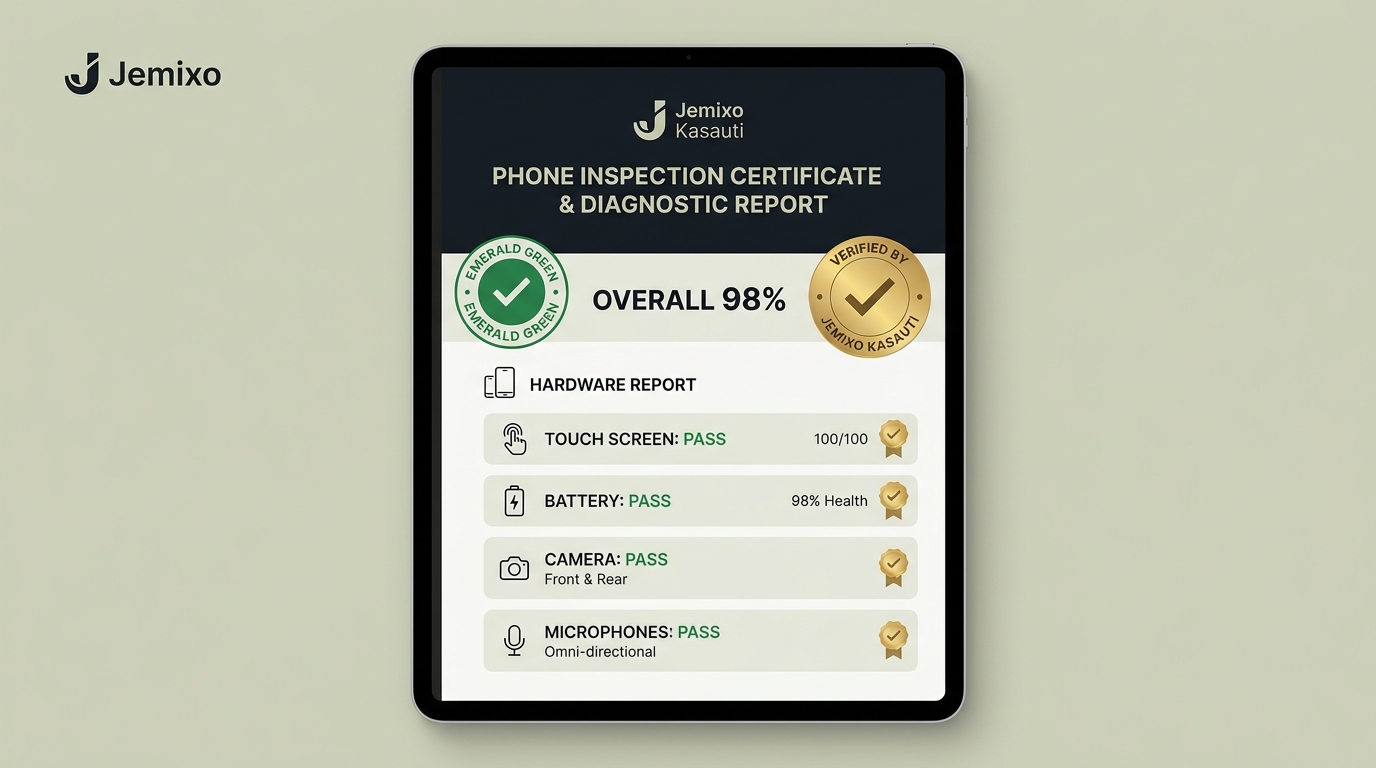
Why Use Kasauti Before Buying:
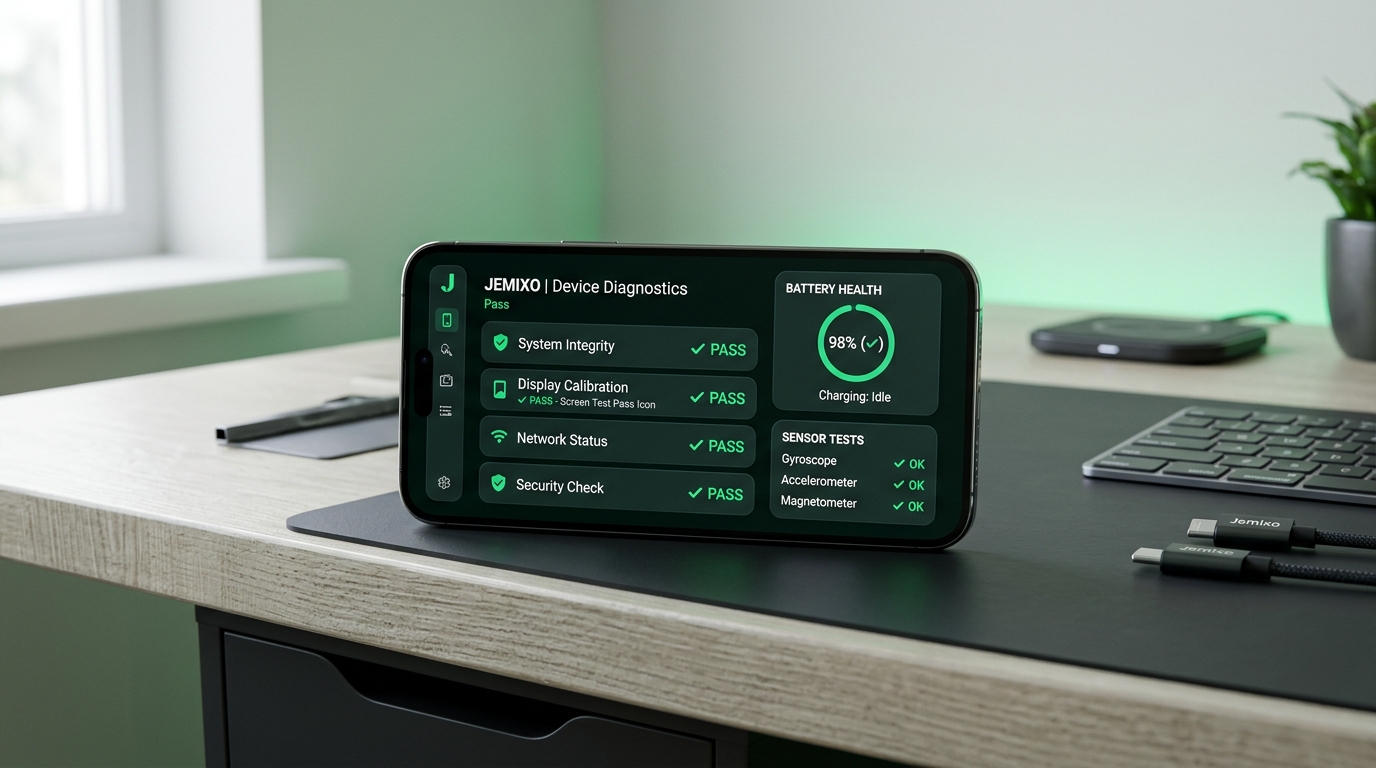
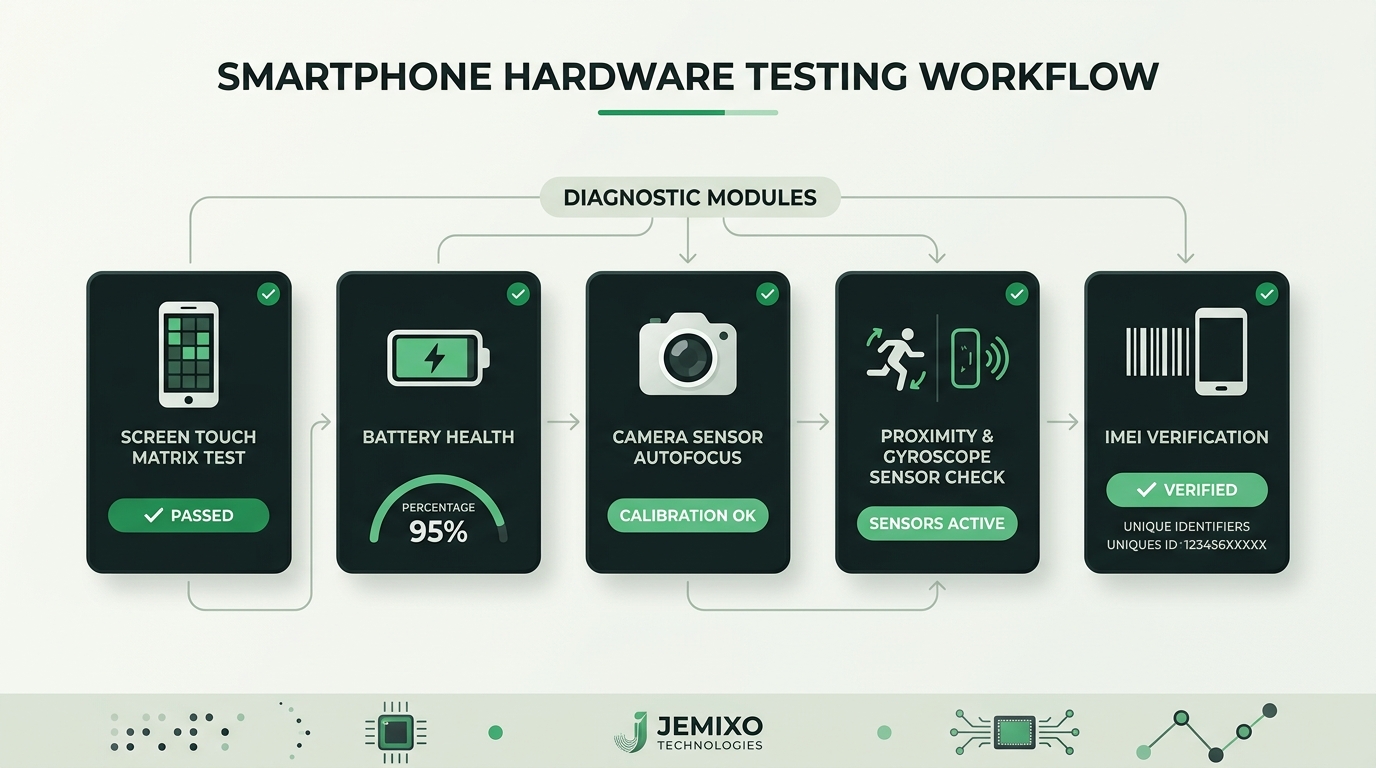
- 24+ Automated & Guided Tests: Evaluates screen touch matrix, dead pixels, multi-touch, battery thermal discharge, front/back cameras, flashlights, dual microphones, earpiece, vibration, proximity, gyroscope, accelerometer, compass, biometric fingerprint, Face ID, buttons, Wi-Fi, Bluetooth, and GPS in under 120 seconds.
- 100% Offline & Private: Requires zero internet connection and zero login credentials. The app runs completely on-device with zero cloud telemetry, ensuring neither your data nor the phone's private details ever leave the handset.
- Tamper-Evident Inspection Certificate: Upon test completion, Kasauti generates an instant PDF verification report with an overall device health score (e.g., 98/100). If a component fails (e.g., proximity sensor broken or battery health degraded), the report highlights it in amber or red.
- Bargaining Superpower: You can show the verified Kasauti test report directly to the shopkeeper or OLX seller to negotiate a fair price deduction or walk away before getting scammed.
You can download Jemixo Kasauti directly from our Kasauti App Hub and keep the APK ready on your pendrive or transfer it via Quick Share before heading to inspect a used smartphone.
Comparison: Original vs. Cheap Replaced Parts
| Component | Authentic OEM Part | Cheap First-Copy Duplicate | Detection Technique |
|---|---|---|---|
| Display Panel | Rich OLED, 120Hz smooth refresh, pure off-pixel blacks | Dull LCD, washed-out colors, greyish black backlight | Pure black image test in dark room |
| Touch Glass | Scratch-resistant Corning Gorilla Glass, oleophobic coating | Cheap soda-lime glass, smudges easily, thick bezels | Water drop angle test; look for glue along edges |
| Battery Cell | Stable voltage curve, steady thermal discharge | Random drop from 25% to 0%, rapid overheating | 3-minute 4K video recording stress test |
| Proximity Sensor | Instant millimeter-range ear detection | Screen stays on, accidental mute touches during calls | Reflection test during active test call |
| Camera Module | Fast optical image stabilization (OIS), sharp focus | Shaky video, slow autofocus hunting, purple lens flare | Video recording while walking and close-up macro test |
3 Non-Negotiable Golden Rules Before Final Payment
- Insist on a Fresh Factory Reset In Front of You: Never take a phone that already has an active Google Account or Apple ID logged in. Always perform a complete factory data reset with the seller present and set up the device as new to verify there is no Factory Reset Protection (FRP) lock or MDM corporate enrollment lock.
- Demand a Valid Purchase Invoice & Photo ID: Always ask for the original retail GST invoice matching the device IMEI. If the seller claims the bill is lost, take a clear photo of their government ID (Aadhaar or Voter ID) alongside a signed receipt stating they sold the device to you.
- Negotiate Based on Verified Data, Not Guesses: Don't argue blindly about price. Run Jemixo Kasauti, generate the tamper-evident diagnostic report, and let the objective hardware health score speak for itself.
Frequently Asked Questions
How do I check if a second-hand phone's screen has been replaced?
Look for uneven gaps or black adhesive glue residue along the bezel edges. You can also display a solid pure black image in a dark room; if the screen emits a grey backlight glow instead of turning completely dark, it has been replaced with a cheap LCD. Additionally, running a touch grid matrix test in an app like Jemixo Kasauti will detect whether all edges and corners register touch input accurately.
Can Android battery health percentages be faked by sellers?
Yes. On many modified Android ROMs or through diagnostic flashing tools, sellers can reset the battery health counter to display 100%. The only reliable way to test battery condition on the spot is to conduct an active stress test: record 4K 60fps video with high brightness and flashlight on for 3 minutes. If the charge drops by more than 2% to 3%, the physical battery cell has deteriorated.
How do I verify if a used phone is stolen or blacklisted in India?
Dial *#06# on the device dialer to obtain the 15-digit IMEI numbers. Then visit the official Government of India portal Sanchar Saathi (CEIR) and use the "KYM - Know Your Mobile" tool. The portal will confirm whether the device IMEI is genuine, blacklisted, or reported lost/stolen.
What is Jemixo Kasauti and does it require internet to test the phone?
Jemixo Kasauti is a 100% offline smartphone diagnostic and verification app developed by Jemixo Technologies. It runs 24+ automated hardware tests—including touch screen, battery, camera, sensors, audio, and connectivity—completely offline on the device without requiring any internet connection, login, or cloud upload.
What is an acceptable battery health score for a used smartphone?
For an iPhone, a battery maximum capacity between 85% and 95% indicates normal degradation after 1 to 2 years of usage; anything below 80% requires immediate battery replacement. For Android devices, an overall hardware health score above 85% on diagnostic stress tests represents reliable daily battery performance.