It begins with an unexpected phone call on a regular weekday morning.
The caller sounds stern, authoritative, and impatient. They identify themselves as an officer from the Narcotics Control Bureau (NCB), Central Bureau of Investigation (CBI), or Mumbai Crime Branch:
"A parcel sent under your Aadhaar number and passport details has been intercepted at Mumbai International Airport. Inside the package, customs officials found 5 fake passports, 16 counterfeit debit cards, and 140 grams of contraband MDMA. A non-bailable arrest warrant has been issued against you by the Supreme Court of India."
Before you can even process the shock, the caller transfers you to a senior officer who orders you onto a WhatsApp or Skype video call. On your screen appears a person dressed in a crisp police uniform, sitting in an office with Indian flags, police logos, and official walkie-talkie chatter in the background.
They issue a chilling directive: "You are now placed under Digital Arrest. If you disconnect this call, step outside your room, or speak to any family member, a local police squad will raid your home within 15 minutes."
Over the next 6 to 48 hours, educated professionals, doctors, retired civil servants, and ordinary citizens across India have been systematically terrorized into transferring their life savings—often amounting to lakhs or crores of rupees—into fraudulent bank accounts.
What exactly is a "Digital Arrest" scam, how do malicious APK files sent on WhatsApp silently loot bank accounts, and how can you permanently protect yourself and your family? Here is the comprehensive safety guide.
The Legal Truth: There Is NO Such Thing as "Digital Arrest"
Let us state this with absolute clarity:
[!IMPORTANT] Under Indian law—including the Bharatiya Nyaya Sanhita (BNS), Code of Criminal Procedure (CrPC), and Indian Information Technology Act—there is NO provision, concept, or legal procedure called "Digital Arrest."
No authentic law enforcement agency in India—whether the CBI, Enforcement Directorate (ED), National Investigation Agency (NIA), State Police, or the Reserve Bank of India (RBI)—operates this way:
- Police Never Interrogate Over Video Calls: Official investigative interrogations are conducted strictly in-person with documented summons issued under Section 41A of the CrPC.
- Arrests Cannot Happen Over Screens: A legal arrest requires physical custody, a written arrest memo signed by witnesses, and presentation before a judicial magistrate within 24 hours.
- Government Agencies Never Demand Money Transfers: The Government of India, police, and RBI never possess "Secret Verification Accounts" or "Clearance Escrow Vaults" to verify financial funds. Any request to transfer money to prove your innocence is 100% extortion.
Anatomy of a Digital Arrest & Malicious APK Scam
Understanding the psychological and technical mechanics of this fraud is your strongest shield against panic.
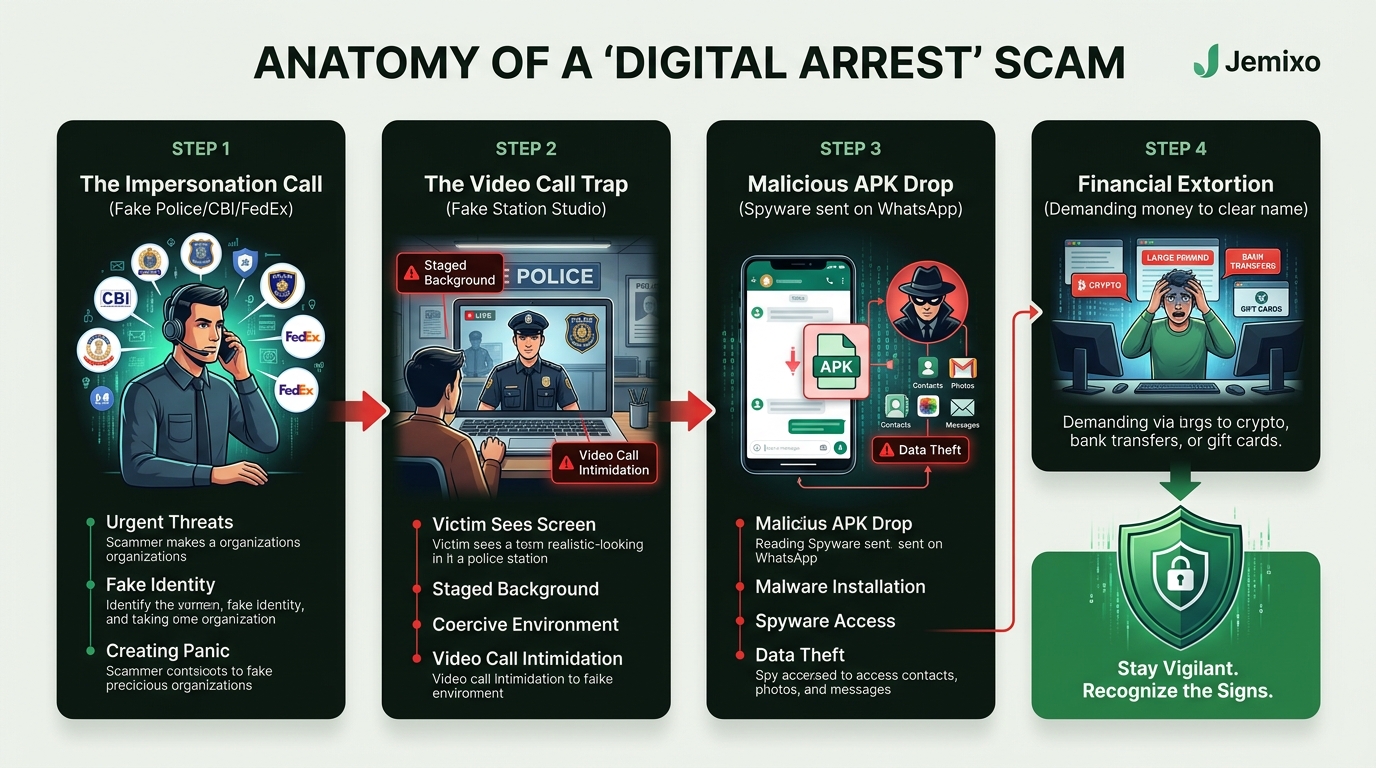
Stage 1: The Initial Fear Trigger (Impersonation Call)
Scammers use interactive voice response (IVR) robocalls or spoofed international numbers (often bearing prefixes like +92, +84, or +234). They exploit pre-breached database leaks containing your full name, Aadhaar number, and home address to sound convincing. By accusing you of serious cross-border crimes (money laundering, drug trafficking), they immediately hijack your brain's rational thinking through sheer fear.
Stage 2: The Staged Video Call Trap
The victim is directed onto video calls where scammers sit in professionally fabricated studio backdrops mimicking police stations, complete with fake FIR documents, police insignia, and forged judicial arrest orders stamped with official seals. The scammers maintain aggressive psychological control, demanding complete isolation: "Do not tell your spouse or children; this is a top-secret national security matter."
Stage 3: The Malicious APK Drop (The Technical Turning Point)
Once the victim is thoroughly intimidated, the scammer introduces the technical payload: "Sir, our cyber intelligence division needs to verify that your smartphone has not been used by international hawala syndicates. We are sending an official investigative verification app on WhatsApp. Install it immediately to clear your device."
The victim receives an Android application package file (e.g., CBI_Security_Check.apk, RBI_Verification.apk, or Cyber_Safety_Police.apk).
Stage 4: Financial Drain & Extortion
The victim is instructed to liquidate fixed deposits, mutual funds, and bank balances and transfer the funds via RTGS/IMPS to "RBI Verification Accounts." The scammers promise that the funds will be verified by the finance ministry and refunded within 60 minutes. The moment the funds hit the accounts, they are instantly layered across dozens of mule accounts, converted into cryptocurrency, or withdrawn via ATMs abroad.
The Silent Weapon: How Malicious APKs Spy on Your Phone
Why are cyber criminals increasingly pushing APK files instead of simple phishing links? Because an APK installs native code directly inside your Android operating system.
When an unsuspecting victim installs a sideloaded APK, the malware executes a multi-pronged assault:
- SMS & OTP Interception (
RECEIVE_SMS,READ_SMS): The malicious app hides its launch icon from the home screen and registers as a background listening service. Whenever your bank sends a two-factor authentication (2FA) one-time password (OTP), the malware captures the code and immediately transmits it to the scammer's server—all while suppressing the notification sound so you never realize an OTP arrived. - Accessibility Service Exploitation (
BIND_ACCESSIBILITY_SERVICE): The app tricks you into granting Android Accessibility permissions under the guise of "Granting System Security Audit." Once granted, the malware can read everything on your screen, log every keystroke (including UPI PINs and passwords), and even automatically tap "Confirm Transfer" buttons without your physical touch. - Contact & Photo Exfiltration (Loan App Blackmail): In predatory loan app scams, malicious APKs scrape your entire contact book and private photo gallery. Even if you never borrowed a single rupee, extortionists create deepfake morphed photos and threaten to blast them to your colleagues, parents, and friends unless extortionate ransoms are paid.
How Jemixo Safe Protects You: 100% On-Device, Zero-Cloud Defense
Standard caller ID apps and cloud antiviruses fail against sophisticated modern threats because they rely on community user reports that take hours to update, and they upload your private address book to external advertising servers.
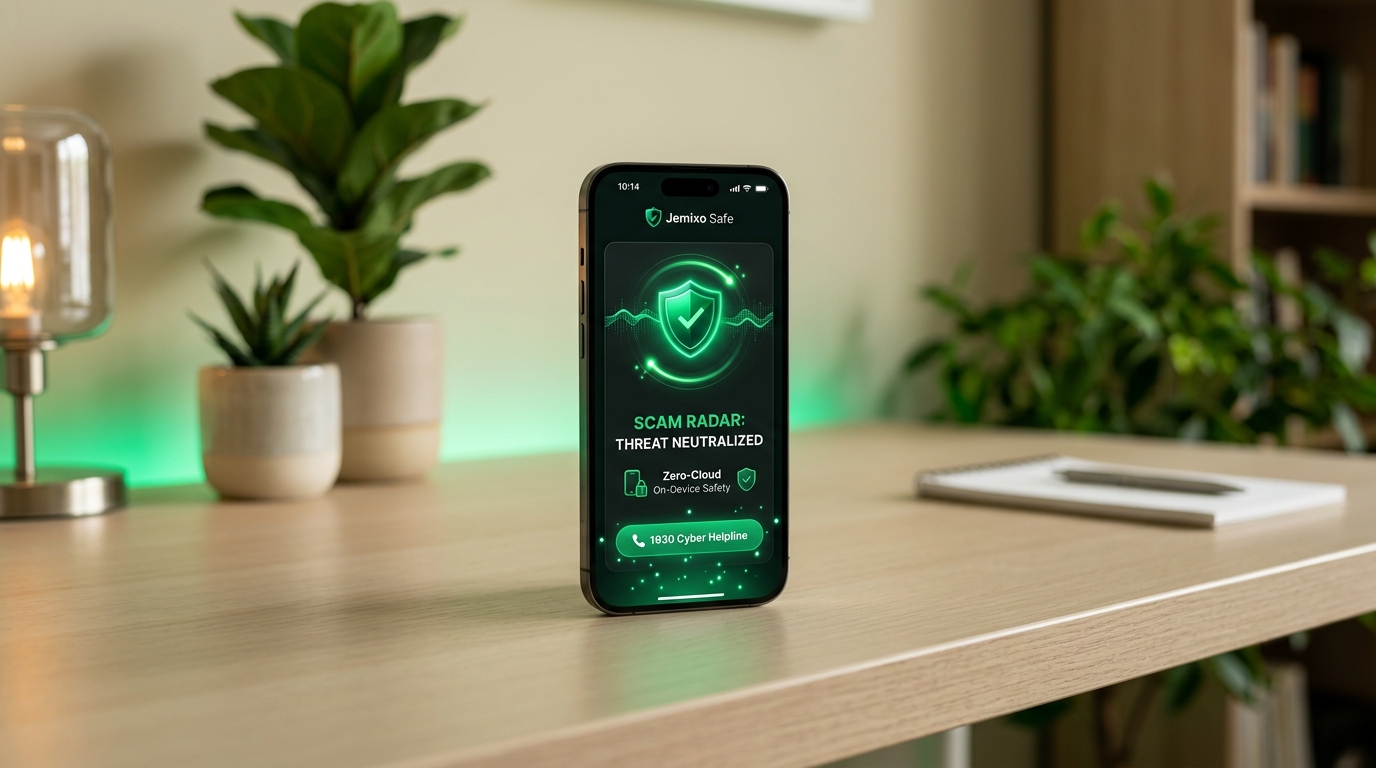
To give Indian citizens absolute mobile sovereignty, we engineered Jemixo Safe—a high-performance, 100% on-device mobile security companion designed with zero-cloud privacy.
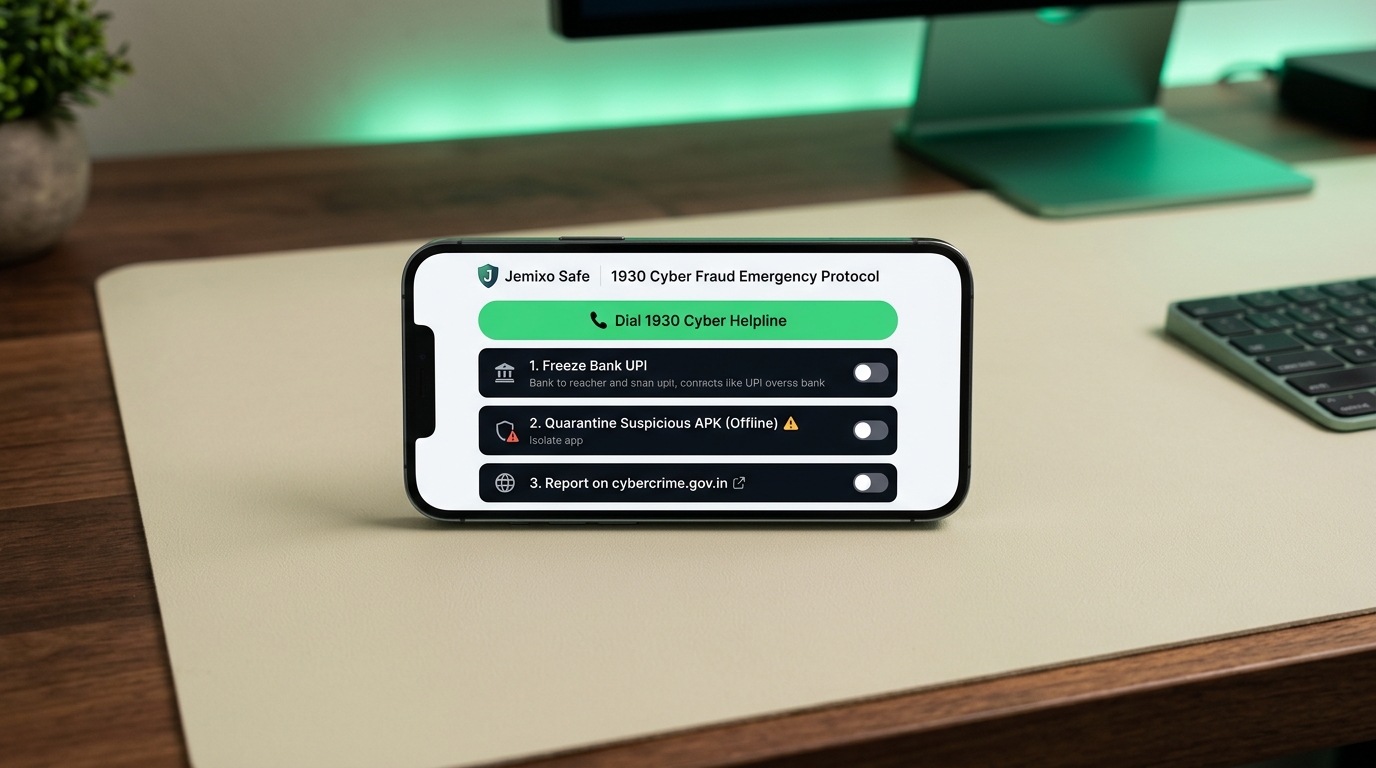
Core Protection Layers in Jemixo Safe:
- On-Device Malicious APK Deep Inspector:
Before you tap install on any file downloaded via WhatsApp, Telegram, or Chrome, Jemixo Safe inspects the APK package locally. It dissects the application manifest, detects dangerous privilege escalations (
SYSTEM_ALERT_WINDOW,BIND_ACCESSIBILITY_SERVICE, background SMS listeners), and alerts you with high-contrast red threat warnings. - Scam Call & International Prefix Radar: Jemixo Safe runs an offline behavioral radar that instantly identifies suspicious international calling patterns (+92, +84, +234, +60) and robocall sequences without requiring an active internet connection.
- Zero-Cloud Privacy Guarantee: Your personal phone calls, text messages, contacts, and browsing habits never leave your smartphone. Jemixo Safe has no user accounts, no login portals, and zero cloud telemetry. All security threat analyses run completely offline on your device hardware.
- Direct 1930 Emergency Hub: If an incident occurs, Jemixo Safe provides one-tap access to the National Cyber Crime Helpline 1930, complete with a guided offline evidence checklist.
You can download Jemixo Safe directly from our Safe App Hub to shield your personal device and your family's smartphones.
The "Golden Hour" Emergency Protocol: What to Do If Scammed
If you or someone in your family has transferred money to a cyber fraudster or installed a suspicious APK, the first 2 to 3 hours are known as the Golden Hour. Acting immediately gives law enforcement the highest chance of freezing the money before it is withdrawn.
Immediate Step-by-Step Action Plan:
Step 1: Immediately Dial 1930 (National Cyber Crime Helpline)
Do not wait to visit a physical police station. Dial 1930 immediately from your phone.
- Have This Information Ready:
- The exact bank account number and IFSC from which money was debited.
- The beneficiary bank account number or UPI VPA to which money was sent.
- The 12-digit transaction UTR / Reference number provided in your bank's SMS.
- The scammer's phone number and WhatsApp details.
- How 1930 Works: The Citizen Financial Cyber Fraud Reporting and Management System (CFCFRMS) automatically notifies the fraudster's receiving bank to freeze the funds in real time before cash withdrawal.
Step 2: Sever All Connectivity (Airplane Mode)
Immediately put the smartphone into Airplane Mode and turn off Wi-Fi. This instantly cuts off any background command-and-control connection between the malicious APK and the scammer's server, preventing further data extraction.
Step 3: Remove the Malicious App via Android Safe Mode
- Long-press your phone's Power button, then touch and hold the "Power Off" icon on the screen until the "Reboot to Safe Mode" prompt appears.
- In Safe Mode, all third-party apps are disabled. Go to Settings > Apps, locate the suspicious app (often disguised as an empty icon or generic name), and tap Uninstall.
Step 4: Register a Formal Report on cybercrime.gov.in
Log onto the Government of India portal cybercrime.gov.in and submit a formal complaint with screenshot evidence, call logs, and bank statements. An official cyber complaint acknowledgment will be issued for your bank's fraud dispute department.
4 Golden Rules to Never Forget
- Law Enforcement NEVER Calls on WhatsApp Video: If anyone claiming to be a police officer, customs inspector, or CBI agent demands a video call, hang up immediately.
- Never Install Any
.apkFile Sent Over Chat: Legitimate government agencies, banks, and utility providers will never send you an application file via WhatsApp or Telegram. - Never Share Bank Details to "Clear Your Name": No official investigation requires transferring your money to prove it is legitimate.
- Arm Your Device with Jemixo Safe: Keep Jemixo Safe active on your smartphone to catch malicious APK files and suspicious links before they can do harm.
Frequently Asked Questions
Is "Digital Arrest" a real legal procedure in India?
No. There is no provision or legal procedure known as "Digital Arrest" under the Bharatiya Nyaya Sanhita (BNS), Code of Criminal Procedure (CrPC), or Indian IT Act. Law enforcement agencies in India never conduct interrogations over WhatsApp or Skype video calls, nor do they arrest citizens remotely over the internet.
What should I do if a caller claims to be CBI or Police on WhatsApp?
Disconnect the call immediately and block the number. Real law enforcement officers issue physical written notices under Section 41A of the CrPC. If the caller threatens you, report the incident immediately on the National Cyber Crime Helpline by dialing 1930 or filing a report at cybercrime.gov.in.
How do malicious APKs sent over WhatsApp steal money?
When installed, malicious APK files exploit Android Accessibility permissions and background SMS listeners. They intercept banking one-time passwords (OTPs) without notifying you, log keystrokes to steal UPI PINs, and transmit your personal data to remote servers operated by cyber criminals.
What is the 1930 Cyber Fraud Helpline and how fast must I call?
1930 is the Government of India's official National Cyber Crime Reporting Helpline operated by the Ministry of Home Affairs. You must call within the "Golden Hour" (the first 2 to 3 hours after fraudulent money transfer) so that the CFCFRMS system can alert beneficiary banks to freeze the stolen funds before they are cashed out.
How does Jemixo Safe protect phones without an internet connection?
Jemixo Safe is built with a 100% on-device security architecture. It inspects downloaded APK files directly on your phone's hardware, analyzing permissions, signatures, and background service hooks offline. Because all analysis is performed on-device, your private calls, messages, and files are never uploaded to any remote cloud server.