Building a SaaS product is one of the highest-leverage business decisions you can make. But before a single line of code is written, you face a decision that will shape your product's trajectory for years: choosing your technology stack.
The wrong stack doesn't just slow you down — it compounds. Every feature takes longer. Every hire is harder. Every pivot costs more. And by the time you realize the mistake, you're too deep to change course without significant pain.
This guide walks you through every layer of a modern SaaS technology stack in 2026, with practical recommendations based on your product type, team size, budget, and growth trajectory.
What Is a SaaS Technology Stack?
A technology stack (or "tech stack") is the combination of programming languages, frameworks, databases, infrastructure, and tools used to build and run your software product.
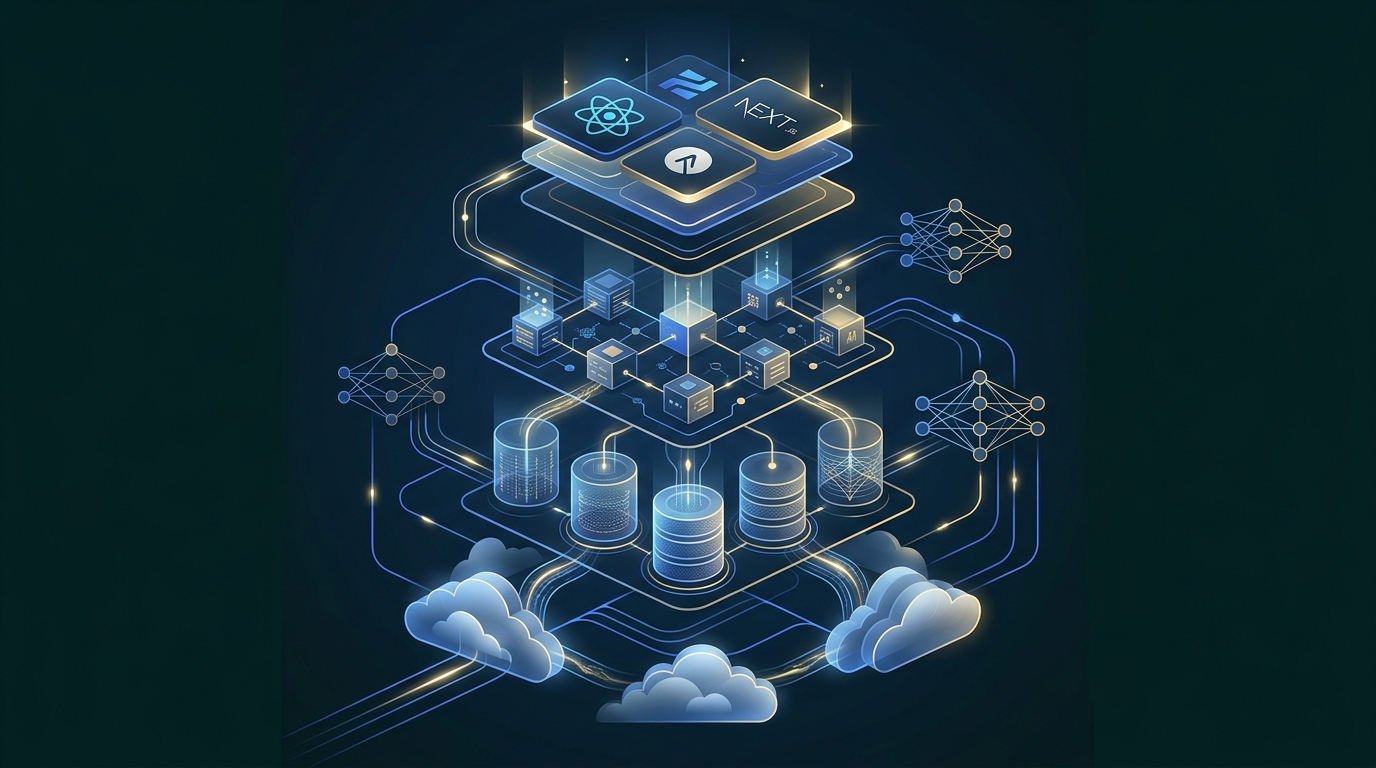
For a SaaS product, the stack typically includes:
- Frontend — what users see and interact with
- Backend — business logic, APIs, data processing
- Database — where your data lives
- Infrastructure — servers, containers, cloud services
- Authentication — login, permissions, security
- Third-party services — payments, email, analytics, AI
Each layer involves choices, and those choices interact with each other. A decision at the database layer affects your backend options. Your infrastructure choice constrains your deployment strategy. Everything is connected.
Why the Right Stack Matters More Than Ever
In 2026, the stakes of stack selection have increased for three reasons:
1. AI integration is now table stakes. Most SaaS products need some form of AI capability — search, recommendations, content generation, or automation. Your stack needs to accommodate AI services without major refactoring.
2. Users expect real-time everything. Instant updates, live collaboration, real-time notifications. Your architecture must support WebSocket connections and event-driven patterns from day one.
3. Security requirements are stricter. Data protection regulations continue expanding globally. Security can't be bolted on — it needs to be built into your architecture from the foundation.
Frontend Technologies
Your frontend is what users interact with every day. It needs to be fast, responsive, accessible, and maintainable.
React
The most widely adopted frontend library. Massive ecosystem, excellent developer tooling, and a vast talent pool. If you're unsure which frontend to choose, React is the safest default.
Best for: Most SaaS products, especially those needing rich interactive UIs. Consider alternatives when: Your team has deep expertise in another framework, or you need extreme simplicity.
Next.js
Built on top of React, Next.js adds server-side rendering (SSR), static site generation (SSG), API routes, and excellent SEO support out of the box.
Best for: SaaS products where SEO matters (marketing pages, blogs, documentation), or when you want a full-stack React framework. Trade-off: More opinionated than plain React. Your team needs to understand SSR concepts.
Vue.js
A progressive framework that's easier to learn than React. Excellent documentation. Strong in the Asian and European developer markets.
Best for: Teams that value simplicity and a gentler learning curve. Great for internal tools and admin dashboards. Trade-off: Smaller talent pool than React in North America and India.
Angular
A full-featured, opinionated framework backed by Google. Includes routing, state management, forms handling, and HTTP client built in.
Best for: Large enterprise applications with big teams that benefit from enforced structure and conventions. Trade-off: Steeper learning curve, more boilerplate, slower to iterate for small teams.
Frontend Comparison
| Framework | Learning Curve | Ecosystem | Best For | Talent Pool |
|---|---|---|---|---|
| React | Moderate | Massive | General SaaS, complex UIs | Very Large |
| Next.js | Moderate | Large | SEO-critical SaaS, full-stack | Large |
| Vue.js | Easy | Good | MVPs, admin dashboards | Medium |
| Angular | Steep | Complete | Enterprise apps, large teams | Large |
Backend Technologies
Your backend handles business logic, data processing, API endpoints, and integrations. This is where most of your competitive logic lives.
Node.js / TypeScript
JavaScript/TypeScript on the server. Excellent for APIs, real-time features (WebSockets), and teams that want a unified language across frontend and backend.
Best for: Real-time applications, API-heavy products, teams comfortable with JavaScript/TypeScript. Trade-off: CPU-intensive tasks require careful architecture. The ecosystem moves fast, which means more dependency management.
Python / Django / FastAPI
Python is the language of AI and data. Django provides a batteries-included web framework. FastAPI offers modern, high-performance async APIs.
Best for: AI-heavy products, data-intensive SaaS, rapid prototyping. If your product integrates heavily with ML models, Python backends make integration seamless. Trade-off: Python is slower than compiled languages for raw computation. Django can feel heavy for simple API services.
Laravel / PHP
Laravel is a mature, elegant PHP framework with exceptional developer experience. Built-in authentication, queues, caching, and an excellent ORM (Eloquent).
Best for: Content-heavy platforms, e-commerce SaaS, CMS-based products, teams in regions with strong PHP talent (South/Southeast Asia, Latin America). Trade-off: PHP carries legacy perception issues, though modern PHP (8.x) and Laravel are genuinely excellent.
Java / Spring Boot
The enterprise workhorse. Strong typing, mature tooling, excellent performance, and battle-tested in banking, healthcare, and large-scale systems.
Best for: Enterprise SaaS, regulated industries (FinTech, HealthTech), products requiring extreme reliability and performance. Trade-off: More verbose, slower development iteration, higher senior developer costs.
.NET / C#
Microsoft's enterprise framework. Excellent performance, strong Azure integration, and a mature ecosystem.
Best for: Enterprise SaaS targeting Microsoft-ecosystem clients, Windows-centric organizations. Trade-off: Smaller open-source community compared to Node.js or Python.
Backend Comparison
| Technology | Speed to MVP | Performance | AI Integration | Best For |
|---|---|---|---|---|
| Node.js/TS | Fast | Good | Moderate | Real-time, API-first SaaS |
| Python/FastAPI | Fast | Good | Excellent | AI SaaS, data products |
| Laravel/PHP | Very Fast | Good | Moderate | Content platforms, e-commerce |
| Java/Spring | Slower | Excellent | Good | Enterprise, FinTech |
| .NET/C# | Moderate | Excellent | Good | Enterprise, Microsoft ecosystem |
Database Selection
Your database choice affects query performance, data modeling flexibility, scaling strategy, and operational complexity.
PostgreSQL
The most versatile relational database. Supports JSON, full-text search, geospatial queries, and has excellent extension support. If you're choosing one database and want maximum flexibility, PostgreSQL is the answer.
MySQL
Reliable, well-understood, and widely supported. Excellent for read-heavy workloads and traditional web applications.
MongoDB
A document database that stores data as flexible JSON-like documents. Good for products with evolving schemas or unstructured data.
Caution: MongoDB is often chosen for the wrong reasons. If your data has relationships (users → orders → products), a relational database is usually better. Don't pick MongoDB just because "it's easier" — that ease becomes complexity at scale.
Redis
An in-memory data store used for caching, session management, rate limiting, real-time leaderboards, and pub/sub messaging. Almost every SaaS product benefits from Redis as a caching layer alongside a primary database.
Database Comparison
| Database | Type | Best For | Scaling | Complexity |
|---|---|---|---|---|
| PostgreSQL | Relational | Most SaaS products | Vertical + Read replicas | Moderate |
| MySQL | Relational | Read-heavy apps, traditional web | Vertical + Replication | Low |
| MongoDB | Document | Unstructured data, flexible schemas | Horizontal (sharding) | Moderate |
| Redis | In-memory | Caching, sessions, real-time | Clustering | Low |
Our recommendation: Start with PostgreSQL + Redis. This combination handles the vast majority of SaaS data requirements elegantly.
Cloud & Infrastructure
AWS (Amazon Web Services)
The market leader with the broadest service catalog. Best for teams that need maximum flexibility and don't mind complexity.
Google Cloud Platform (GCP)
Excellent for AI/ML workloads (Vertex AI, BigQuery), Kubernetes (GKE), and data-intensive applications. Competitive pricing.
Microsoft Azure
Strong choice for enterprise clients in the Microsoft ecosystem. Excellent Active Directory integration.
Infrastructure Essentials
Regardless of cloud provider, your SaaS infrastructure should include:
- Containers (Docker) — Package your application consistently across environments
- Container Orchestration (Kubernetes or managed alternatives) — For production workloads that need auto-scaling
- CI/CD Pipeline — Automated testing and deployment (GitHub Actions, GitLab CI)
- CDN — Serve static assets globally (CloudFront, Cloudflare)
- Monitoring & Observability — Know what's happening in production (Datadog, Grafana, Sentry)
Start Simple
Don't over-engineer your infrastructure on day one. A managed platform (Railway, Render, Vercel, or even a single EC2/Droplet) is perfectly fine for your first thousand users. Invest in Kubernetes and microservices when your traffic and team size justify the complexity.
API Architecture
REST APIs
The industry standard. Well-understood, easy to cache, excellent tooling. Use REST as your default API pattern unless you have a specific reason not to.
GraphQL
Client-driven queries that return exactly the data requested. Excellent for complex frontends that fetch data from many sources, mobile apps with bandwidth constraints, and products with diverse client needs.
Trade-off: Higher server complexity, caching is harder, and the learning curve is real.
WebSockets
Persistent bidirectional connections for real-time features: live chat, collaborative editing, real-time dashboards, notifications.
Recommendation
Start with REST. Add WebSockets for specific real-time features. Consider GraphQL only when your frontend data-fetching patterns genuinely demand it.
Authentication & Security
Security is not a feature — it's a foundation. Every SaaS product must implement:
- JWT (JSON Web Tokens) — Stateless authentication for APIs
- OAuth 2.0 — Social login and third-party integrations
- Role-Based Access Control (RBAC) — Define what each user type can do
- Multi-Factor Authentication (MFA) — Required for enterprise clients
- API Rate Limiting — Protect against abuse
- Data Encryption — At rest (AES-256) and in transit (TLS 1.3)
- Input Validation & Sanitization — Prevent injection attacks
- Audit Logging — Track who did what and when
Don't Build Auth From Scratch
Unless security is your core product, use established authentication services or libraries. For Laravel, use Laravel Sanctum or Passport. For Node.js, consider Auth0 or Clerk. Building your own authentication system invites security vulnerabilities.
AI & LLM Integration for Modern SaaS
In 2026, AI capabilities are no longer optional for competitive SaaS products. Here's how to architect AI into your stack:
AI API Integration
The fastest path: integrate commercial AI APIs (OpenAI, Anthropic, Google Gemini) for capabilities like text generation, summarization, classification, and code generation. Wrap API calls in your backend service with proper error handling, rate limiting, and cost monitoring.
Retrieval-Augmented Generation (RAG)
For products that need AI to answer questions about your users' data (knowledge bases, documentation, support systems), RAG combines a vector database with LLM generation:
User Query → Embedding → Vector Search → Retrieved Context → LLM + Context → Response
Vector databases: Pinecone, Weaviate, pgvector (PostgreSQL extension), Qdrant.
AI Agents
For autonomous task execution — AI systems that don't just answer questions but take action. Agents can query databases, call APIs, execute workflows, and coordinate with other agents.
Key frameworks: LangChain, CrewAI, AutoGen, custom agent architectures.
Cost Management
AI API costs can spiral quickly. Implement:
- Token usage tracking per user/tenant
- Caching for repeated queries
- Model selection based on task complexity (use smaller models for simple tasks)
- Usage limits and billing integration
Monolith vs. Microservices
This is one of the most over-debated topics in software architecture. Here's the practical guidance:
Start With a Modular Monolith
For teams under 20 engineers, a well-structured monolith with clear internal module boundaries is almost always the right choice. It's simpler to develop, test, deploy, and debug.
When to Consider Microservices
Move to microservices when:
- Your team exceeds 20-30 engineers working on the same codebase
- Specific modules need to scale independently (e.g., video processing, search)
- Different modules have fundamentally different technology requirements
- Deployment frequency is bottlenecked by a shared codebase
The Middle Ground: Modular Monolith
Structure your monolith with clear boundaries between modules. Each module has its own models, services, and controllers. Modules communicate through defined interfaces. This makes future extraction into microservices much easier.
Best Tech Stack by SaaS Product Type
| SaaS Type | Frontend | Backend | Database | Why |
|---|---|---|---|---|
| MVP / Startup | Next.js | Node.js or Laravel | PostgreSQL | Speed to market, full-stack simplicity |
| B2B SaaS | React | Node.js/TS | PostgreSQL + Redis | Rich UIs, real-time, scalable |
| Enterprise SaaS | Angular or React | Java/Spring or .NET | PostgreSQL | Compliance, stability, enterprise tooling |
| AI SaaS | React + Next.js | Python/FastAPI | PostgreSQL + pgvector | Native AI/ML integration |
| Real-time / Collaboration | React | Node.js/TS | PostgreSQL + Redis | WebSocket support, event-driven |
| E-commerce SaaS | Next.js | Laravel or Node.js | MySQL or PostgreSQL | SEO, payments, inventory management |
| FinTech SaaS | React | Java/Spring | PostgreSQL | Regulatory compliance, transaction safety |
| HealthTech SaaS | React | Java/Spring or .NET | PostgreSQL | HIPAA compliance, audit trails |
| Marketplace | Next.js | Node.js/TS or Laravel | PostgreSQL + Redis | SEO, search, real-time messaging |
How to Choose Your Stack: A Decision Framework
Follow these steps in order:
Step 1: Define Your Product Requirements
What does your product actually do? List the core features. Identify which are standard (CRUD, auth, dashboards) and which are specialized (real-time collaboration, AI processing, video streaming).
Step 2: Assess Your Team
What technologies does your current team know? Hiring for a stack your team already understands reduces time-to-market by months. A great team on a "second-best" stack will outperform a mediocre team on the "perfect" stack.
Step 3: Estimate Scale
How many users do you expect in year one? Year three? A product serving 500 businesses has very different infrastructure needs than one targeting 500,000 consumers.
Step 4: Evaluate AI Requirements
Does your product need AI capabilities? If yes, how deeply? Surface-level AI (chatbot, summarization) can work with any backend calling an API. Deep AI integration (custom models, RAG, agents) favors Python backends.
Step 5: Consider Regulatory Requirements
FinTech, HealthTech, and enterprise products have specific compliance needs (SOC 2, HIPAA, PCI-DSS). Some stacks and cloud providers have better compliance tooling than others.
Step 6: Budget Realistically
Enterprise stacks (Java/Spring, .NET) generally have higher developer costs. Startups often get more velocity per dollar with Node.js, Laravel, or Python.
Step 7: Plan for the Second Version
Your MVP stack should be good enough to get you to product-market fit. But think ahead — will this stack support your product at 10x scale? Can you hire for it? Does it handle the features on your roadmap?
Common Mistakes to Avoid
1. Choosing tech because it's trending. The best stack is the one your team can ship with. Don't pick a technology because you read about it on Hacker News.
2. Over-engineering on day one. You don't need Kubernetes, microservices, and event sourcing for an MVP. Start simple. Optimize when you have real users and real data.
3. Ignoring developer experience. A technology that makes your developers miserable will slow everything down. Developer happiness directly correlates with shipping velocity.
4. Neglecting security from the start. Retrofitting security is expensive and dangerous. Build authentication, authorization, encryption, and audit logging into your architecture from day one.
5. Not planning for AI integration. Even if you don't need AI today, structure your backend so that adding AI capabilities later doesn't require a rewrite.
6. Choosing MongoDB because "NoSQL is modern." Unless you genuinely have unstructured, schema-less data, a relational database (PostgreSQL) is almost certainly the better choice for SaaS.
7. Building authentication from scratch. Use battle-tested libraries and services. Your custom auth implementation probably has vulnerabilities you haven't discovered yet.
Future-Proofing Your SaaS
The technology landscape will continue evolving. Here's how to build for adaptability:
-
Use TypeScript everywhere. Type safety catches bugs before production and makes refactoring safer. TypeScript adoption in SaaS backends has grown significantly because the productivity benefits are real.
-
API-first architecture. Design your backend as a set of well-documented APIs. This lets you swap frontends, add mobile apps, or expose your platform to third-party developers without touching your backend.
-
Containerize from the start. Docker containers ensure your application runs identically in development, staging, and production. This is table-stakes in 2026.
-
Invest in observability early. Structured logging, application performance monitoring (APM), and error tracking save you hours of debugging time. Don't wait for your first production incident.
-
Keep dependencies current. Schedule regular dependency updates. Falling behind on framework versions makes security patches and feature upgrades exponentially harder.
How Jemixo Technologies Can Help
Choosing a technology stack involves balancing dozens of factors — product requirements, team expertise, timeline, budget, scalability, and future roadmap. It's easy to get paralyzed by options or to make a decision you'll regret in 18 months.
At Jemixo Technologies, we've helped businesses across industries navigate these decisions and build SaaS products that scale. Our approach is straightforward: we recommend the stack that fits your product and your constraints — not the one that's trending on developer forums.
Whether you're validating an MVP, scaling an existing product, or integrating AI capabilities into your SaaS platform, our engineering team can help you build on a foundation you won't outgrow.
Talk to our team about your SaaS project →
Frequently Asked Questions
What is the best tech stack for a SaaS startup?
For most SaaS startups, Next.js (frontend) + Node.js/TypeScript (backend) + PostgreSQL (database) offers the best balance of development speed, scalability, and developer availability. If your product is AI-heavy, consider Python/FastAPI for the backend instead.
Should I use microservices for my SaaS product?
Not initially. Start with a well-structured modular monolith. Microservices add operational complexity that isn't justified until your engineering team exceeds 20-30 people or specific modules need independent scaling.
How important is AI integration for SaaS in 2026?
Very important. Users expect intelligent features — smart search, content generation, automated workflows, and personalized recommendations. The good news is that AI APIs make integration accessible without needing a dedicated ML team.
Is PHP/Laravel still a good choice for SaaS?
Absolutely. Modern Laravel (with PHP 8.x) is a mature, productive framework with excellent tooling. It's particularly strong for content platforms, e-commerce SaaS, and products where rapid development speed is critical.
How do I manage AI API costs in my SaaS product?
Implement token usage tracking, cache repeated queries, route simple tasks to smaller/cheaper models, set per-user usage limits, and monitor costs daily. Treat AI API usage like any other metered infrastructure cost.
What database should I use for my SaaS?
PostgreSQL is the safest default. It handles relational data, JSON documents, full-text search, and even vector embeddings (via pgvector) in a single system. Add Redis for caching and session management.
How long does it take to build a SaaS MVP?
With an experienced team and the right stack, a functional MVP typically takes 8–16 weeks. This assumes a focused feature set — authentication, core product functionality, billing, and basic admin tools.